
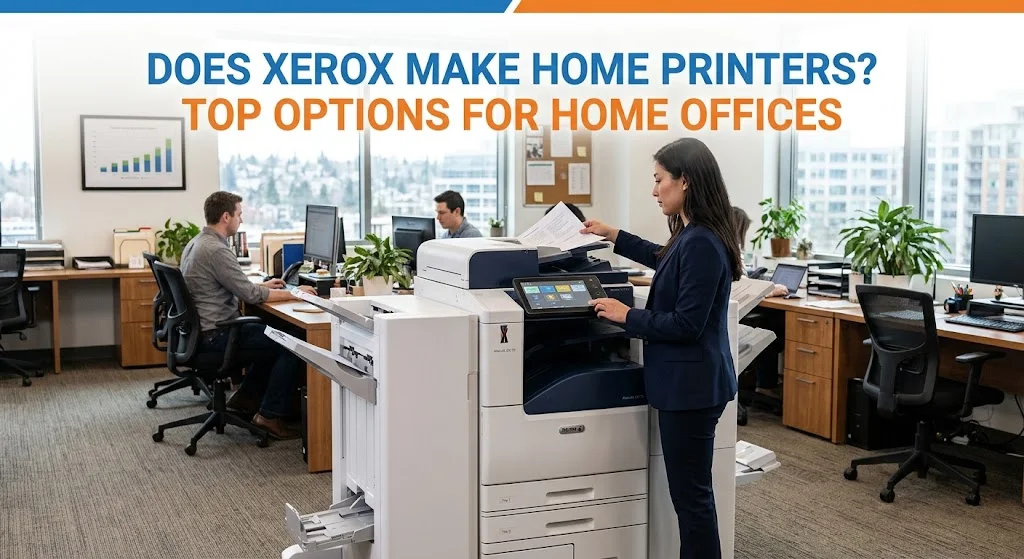
Does Xerox Make Home Printers? Top Options for Home Offices
If you have ever wondered, “Does Xerox make home printers?”, you are not alone. Xerox is often associated with large office copiers and enterprise print systems, but the company also offers compact laser printers and multifunction printers designed for smaller workspaces. Xerox currently lists models such as the B230, B225, B235, C230, C235, and other compact office printers for small workgroups and remote workspaces.
For remote workers, home-based businesses, and professionals who need dependable documents without a large machine taking over their office, these smaller Xerox printers can be a practical choice.
Does Xerox Make Printers for Home Offices?
Yes. Xerox makes several compact printers and multifunction devices that can fit naturally into a home office environment. While the brand is well known for high-volume commercial printing equipment, its smaller B Series and C Series models are designed for workgroups of roughly one to five users, making them suitable for individual professionals and small teams.
The important distinction is that Xerox generally positions these machines as professional office printers for small workgroups and remote workspaces, rather than inexpensive consumer inkjet printers. That can actually be an advantage for people who print frequently or want equipment built around productivity, wireless connectivity, and lower-maintenance laser printing.
So, when someone asks, “Does Xerox make home printers?”, the answer is clearly yes. The better question is which Xerox model matches the way you actually work.
Xerox Printers for Home Office: Top Options to Consider
Not every home office needs the same printer. Someone who only prints invoices has different requirements from a consultant who scans signed contracts every day.
Here are several Xerox printers for home office environments worth considering.
Xerox B230: Best for Straightforward Black-and-White Printing
The Xerox B230 is one of the simplest options in the lineup.
It is a monochrome laser printer designed for print-only workloads. Xerox rates it for workgroups of one to five users, with speeds of up to 36 pages per minute and an average monthly use of up to 2,500 pages. It also includes automatic two-sided printing and built-in Wi-Fi.
Best for:
- Remote employees
- Home-based professionals
- Freelancers
- Individual workstations
- Businesses that primarily print black-and-white documents
- Users who already have a separate scanner
The B230 makes the most sense when you do not need copying or scanning built into the printer. Its straightforward design can also reduce the amount of equipment occupying your workspace.
Xerox B225: A Compact Monochrome All-in-One
The Xerox B225 adds more functionality while keeping the same general small-workgroup focus.
It can print, copy, and scan, with print speeds of up to 36 pages per minute. It also includes automatic two-sided printing and built-in Wi-Fi. Xerox identifies the B225 as suitable for workgroups of one to five users.
Best for:
- Home offices that scan documents
- Professionals who make occasional copies
- Small businesses
- Remote employees handling paperwork
- Users who want one device instead of separate printer and scanner equipment
If your home office regularly deals with signed documents, receipts, applications, or paper records, the B225 can be more useful than a print-only machine.
Xerox B235: More Functions for a Home-Based Business
The B235 is another monochrome all-in-one option, but it adds fax functionality to printing, copying, and scanning.
Xerox lists the B235 at up to 36 pages per minute, with automatic two-sided printing, built-in Wi-Fi, and a recommended workgroup size of one to five users.
Best for:
- Home-based businesses
- Professionals who still use fax
- Small offices
- Document-heavy remote work
- Users who want print, copy, scan, and fax in one machine
Although faxing is less common than it once was, certain industries and organizations still use it for document exchange. If fax is part of your workflow, the B235 can eliminate the need for another device.
Xerox C235: Color Printing and Multifunction Capability
If your home office needs color, the Xerox C235 is worth a closer look.
The C235 is a color laser multifunction printer that combines printing, copying, scanning, and faxing. Xerox lists it at up to 24 pages per minute and includes automatic two-sided printing and built-in Wi-Fi.
Best for:
- Marketing professionals
- Real estate professionals
- Consultants
- Home-based businesses
- Professionals who need color documents
- Users who want an all-in-one device
Color can be valuable when documents rely on charts, logos, presentations, branded materials, or visual information. A color laser MFP can therefore be a better fit than a monochrome printer when presentation quality matters.
Xerox C315: For More Demanding Color Workflows
The Xerox C315 is another color multifunction option for users who need more advanced office capabilities.
It belongs to Xerox’s color multifunction printer family and is positioned above the more compact entry-level models. Xerox includes the C315 alongside its B Series and other office printers in its current product and security documentation.
The C315 may be a better match when your home office has higher print volumes, more demanding document workflows, or several users sharing the same device.
The key takeaway is that Xerox consumer grade printers should not be viewed as one single category. Instead, Xerox offers different compact machines for different workloads, from basic black-and-white printing to multifunction color document production.
Xerox Laser Printer vs. Traditional Home Inkjet
The right technology depends on what you print.
| Consideration | Xerox Laser Printer | Traditional Inkjet |
| Best for | Business documents | Photos and mixed casual printing |
| Toner/ink | Toner | Liquid ink |
| Long periods unused | Generally well suited | Ink may dry or contribute to clogging |
| Text documents | Excellent fit | Good |
| High-volume document work | Strong fit | Can be less economical depending on model |
| Color photos | Good for business graphics | Often better suited to photo printing |
| Home office use | Excellent for document-heavy work | Good for lighter or photo-focused use |
The important point is not that one technology is universally superior. Instead, choose based on your actual printing habits.
If your printer spends most of its time producing invoices, reports, contracts, forms, worksheets, and business correspondence, laser technology is often a logical choice.
Get Help Choosing Xerox Printers for Home Office Use
If you have been asking, “Does Xerox make home printers?”, the answer is yes, and the better question is which model fits your workload. From the compact B230 to multifunction B Series models and color options such as the C235 and C315, there are different configurations for different home-office needs.
Clear Choice Technical Services can help you compare your options, purchase genuine Xerox toner and supplies, and build a reliable print setup for your remote office or home-based business.
Call Clear Choice Technical Services at (915) 201-3200 to discuss your home-office printing needs today.


